
Piano Tap: Rush Song Game
NekoBeat Studio: Cozy Cats & Cute Music GamesMusic
4.77.00 Reviews
- Version
- 2.2.0
- Installs
- 500.00K
- Age Rating
- Everyone
Screenshots
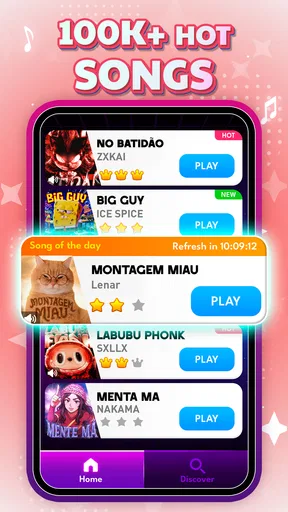
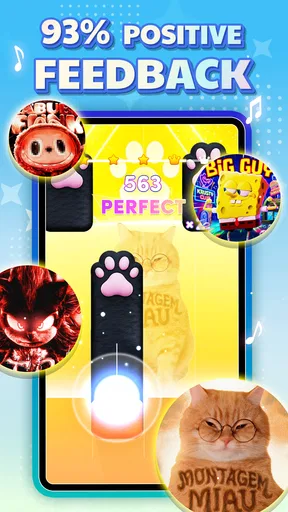
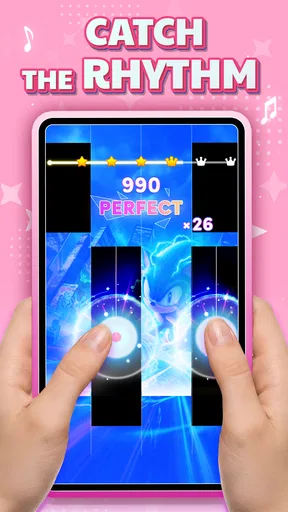
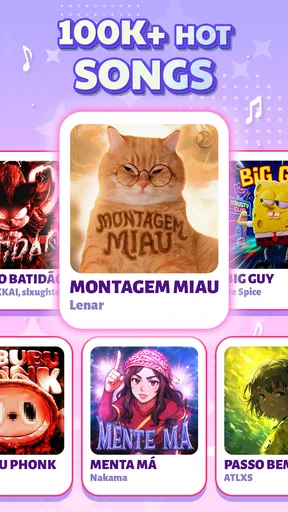
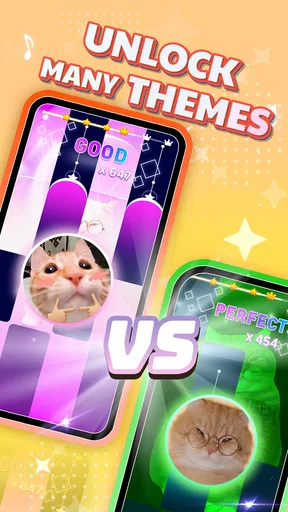
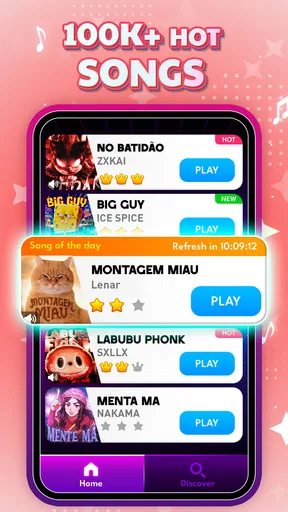
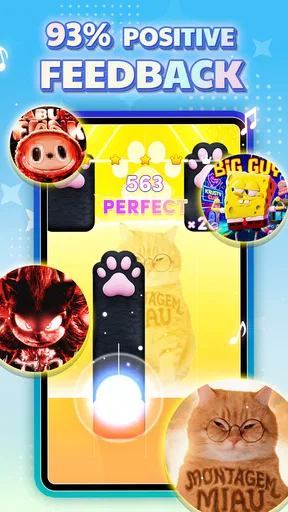
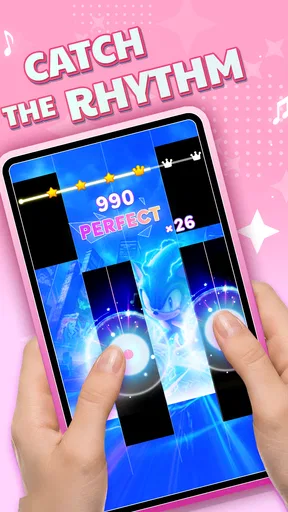
Our Review of Piano Tap: Rush Song Game
 Analysis by Appyee
I spent time with Piano Tap: Rush Song Game as a quick-play music game built around tapping along with songs. Its appeal is easy to understand: you choose a track, watch the notes move toward the play area, and try to keep your fingers in step with the beat. The presentation aims for a cheerful idol-and-anime mood rather than a serious piano-learning experience, so it feels closer to a lightweight rhythm challenge than to a virtual instrument.
The game is free, rated for Everyone, and comes from NekoBeat Studio: Cozy Cats & Cute Music Games. It sits in the music category and has reached over 500 thousand installs, with a 4.7 average from around three thousand ratings. Those figures suggest that the concept has found an audience, but they do not change the basic question I would ask before installing it: do you want a friendly rhythm game for short sessions, or are you looking for deep music practice and long-term mastery?
How the first sessions establish a reason to keep tapping
The opening appeal comes from its simplicity. There is no need to understand a complicated control scheme before starting. Tapping tiles in time with a song gives you an immediate goal, and the music provides a natural sense of momentum. For a new player, that matters more than a long tutorial. You can quickly tell whether the timing feels comfortable on your phone and whether the available musical style matches your taste.
The early objective is not to become a pianist. It is to stay with the track, avoid mistakes, and finish a run with a satisfying sense of control. That makes the game approachable for people who normally avoid rhythm titles because they look demanding. I also found that the cute idol styling softens the pressure. Missing a note feels like a small interruption rather than a harsh failure in a competitive music simulator.
The store short description calls it “Piano Tap,” but I would not install it expecting lessons in scales, fingering, sight-reading, or keyboard technique. The piano framing describes the tapping format, not a realistic instrument. That distinction is important for parents, casual players, and anyone comparing it with an educational piano app. This is entertainment first, with timing as the main skill.
Small goals work best when you treat each song as a test
One useful way to approach the early game is to give yourself a narrow target for every attempt. Instead of chasing a perfect run immediately, I focus on completing the song without losing the rhythm. On the next attempt, I pay attention to the section that caused trouble. This turns a short replay into a clear personal challenge, even when the game itself presents the experience in a simple, accessible way.
That approach also helps reveal whether the pacing suits you. Players who enjoy repeating a track to improve timing will find a natural loop here. Players who need a large story, elaborate character development, or a constantly changing objective may feel that the basic tap-and-retry structure becomes familiar quickly.
The song selection is positioned around EDM, anime songs, and TikTok hits. That mix gives the game a more current, energetic identity than a traditional piano app. It is especially suitable for someone who wants recognizable modern moods rather than calm classical exercises. At the same time, musical taste will strongly affect the experience. If those styles are not your preference, the cute presentation alone may not be enough to sustain repeated sessions.
Progress signals, challenge, and the rhythm of returning
A good rhythm game needs to communicate improvement even when the player is not unlocking a large map or following a story. Here, the clearest progress signal is your own performance: lasting longer, reacting more reliably, and recovering from a difficult passage instead of immediately losing the beat. I like that this kind of improvement is easy to feel. A song that seemed too fast during the first attempt can become manageable once your eyes learn the movement pattern.
For practical progress, I recommend using a three-step routine. First, play a song normally to understand its pace. Second, replay it while concentrating on the exact moment where your timing breaks down. Third, return to the full track without staring only at the problem area. This prevents practice from becoming too narrow and helps you build consistency rather than memorizing one isolated sequence.
That workflow is one of the more useful things about a tap-based game on a phone. You can fit it into a short break, then stop before the session becomes tiring. I can imagine playing a few attempts while waiting for a bus or taking a quick mental reset between tasks. The game does not demand the setup, quiet room, or physical space that a keyboard-based alternative would require.
The difficulty curve depends on attention more than musical knowledge
The main challenge is coordination. You are reading moving tiles, anticipating their arrival, and translating that information into taps without letting the music pull your attention away from the visual timing. Someone with no musical training can still enjoy the game, while a trained musician may not have an automatic advantage if the visual rhythm takes getting used to.
I found the difficulty most interesting when I stopped trying to react to each tile at the last possible instant. Looking slightly ahead is more reliable. The screen becomes easier to read when I treat the incoming pattern as a phrase instead of a collection of unrelated taps. That is a small but meaningful change in technique, and it makes the game feel less random even during faster passages.
There is also a trade-off between sound and sight. Players who naturally follow the beat may want to use the music as their main guide, while others will depend more heavily on the tile movement. If your surroundings are noisy, the visual side becomes more important. If the screen is difficult to see because of glare or a small display, the audio rhythm matters more. In either case, a comfortable posture and stable grip make a noticeable difference during longer attempts.
I would not describe this as a replacement for a demanding arcade rhythm game. Dedicated rhythm titles often provide more intricate patterns, more specialized input methods, and a stronger competitive framework. Piano Tap: Rush Song Game is better suited to people who want the immediate satisfaction of tapping to lively songs without committing to a highly technical system.
What keeps the loop engaging, and where it may lose force
The retention strength comes from the short distance between failure and another attempt. You do not need to prepare for a long session. A song can act as a self-contained challenge, and the desire to improve one weak run is enough to encourage another try. This is particularly effective for casual players who enjoy visible personal improvement but do not want a large time commitment.
The limitation is that this loop depends heavily on the music and on your tolerance for repetition. If you are already satisfied after completing a track once, the game may not offer enough reason to return compared with a broader music game or a title with a substantial campaign. I would also avoid treating the install count or high average rating as a promise that every player will find the pacing equally compelling. Rhythm preferences are personal, and the same simplicity that makes the game welcoming can make it feel light for experienced players.
Another practical point is that the free price lowers the barrier to trying it, but it also changes how I judge the experience. I expect a casual game in this format to earn my time through quick starts, readable action, and enjoyable songs rather than through the depth of a full console rhythm package. On that standard, the concept works best when I want a cheerful distraction, not when I am searching for a complete system to study for weeks.
A realistic everyday use case
Imagine having ten minutes before an appointment. You open the game, choose a song with an energetic feel, and play one attempt without worrying about building a long session. If the first run goes poorly, you can identify whether the problem was speed, distraction, or a particular pattern. A second attempt then has a purpose. Even if you stop there, the session feels more satisfying than simply scrolling through another feed because your attention was active and the result was measurable.
For a younger player, the Everyone rating and bright musical presentation make the game an approachable option for supervised casual play. I would still frame it honestly: the age rating describes suitability, not educational value. A child who wants to learn piano should use a teaching-focused tool, while a child who wants to tap along with upbeat songs may find this much more inviting.
For an adult, the strongest use case is decompression. The game asks for focus without demanding strategic planning or a long narrative commitment. I would use it when I want a small challenge that occupies my hands and ears. It is less suitable when I need a quiet activity, because the music and timing are central to the experience, or when I want something that can be enjoyed passively.
Who should choose it and how the latest version fits
The current version is 2.2.0, and that is the version I would consider when judging the present experience. I would recommend the game to fans of anime-inspired presentation, EDM-flavored tracks, and short rhythm sessions. It is also a reasonable first step for someone curious about music games but intimidated by complex controls. The basic action is clear enough to understand quickly, while the faster sections give returning players something to refine.
I would point a different way for several types of users. If your priority is genuine piano technique, choose a learning app with exercises and feedback designed for musicianship. If you want a deep competitive rhythm game, look for one built around advanced charts, rankings, or more demanding input. If you dislike replaying songs to improve small timing errors, the central loop may feel repetitive rather than rewarding.
There is also a difference between liking the theme and liking the mechanics. Cute idols, anime styling, and current song categories can make the first impression appealing, but they cannot replace responsive timing or readable patterns. Before deciding that it is a long-term favorite, I would play several tracks and notice whether the challenge feels fair. The best sign is not simply finishing a song; it is feeling that a mistake happened because of your timing and can be corrected on the next run.
My main recommendation is to judge the game by the quality of its short sessions, not by expectations of a full piano simulator. It succeeds when I want a friendly, music-led challenge that starts quickly and gives me a reason to replay a song. Its lighter structure is also its main weakness, because players seeking extensive progression may outgrow it sooner than casual fans.
Overall, Piano Tap: Rush Song Game is a pleasant choice for quick tapping sessions, especially if EDM, anime songs, and TikTok-style hits fit your playlist. The developer, NekoBeat Studio: Cozy Cats & Cute Music Games, has positioned it as an accessible music game rather than a serious training tool, and that is the right way to approach it. I would recommend giving it a try if you want low-commitment rhythm play at no upfront cost, while keeping your expectations realistic about depth.
After playing, my verdict is positive but specific: this is best as a compact routine for improving timing, testing your concentration, and enjoying a bright musical atmosphere. The early goals are easy to understand, the main progress signal is personal consistency, and the difficulty becomes more satisfying when you learn to read ahead instead of tapping reactively. It will not replace a piano teacher or a deeper arcade rhythm title, but for the right player, it turns a few spare minutes into a focused and enjoyable challenge.
Verdict
Strengths of Piano Tap: Rush Song Game
- Simple one-touch controls are easy for beginners to understand.
- Quick rounds make it suitable for short breaks or casual play.
- Increasing speed keeps later levels challenging and engaging.
- Bright visuals and musical feedback make taps feel rewarding.
- Lightweight gameplay works well on most modern Android and iOS devices.
Limitations of Piano Tap: Rush Song Game
- Some songs or features may require in-app purchases to unlock.
- Ads can interrupt the experience, especially between repeated rounds.
- Fast sections may feel frustrating for players with slower reflexes.
- Limited song variety could make the gameplay repetitive over time.
- Gameplay may become difficult to enjoy without a stable audio connection.
Other Releases by NekoBeat Studio: Cozy Cats & Cute Music Games
View All
Cat Jump: Cute Pet Music Game
Music4.2
Similar Picks in This Category
View All
Tiles Hop Music & Ball Game
AMANOTES PTE. LTD.4.3

Magic Tiles 3™ - Piano Game
AMANOTES PTE. LTD.4.6

Real Piano
Bilkon3.7

Piano Game: Classic Music Song
Dream Tiles Piano Game Studio4.0

Smash Colors: Music Ball Rush
BADSNOWBALL HONGKONG LIMITED4.2

Piano Music Go-EDM Piano Games
Joy Journey Music Games4.5
Frequently Asked Questions
What is Piano Tap: Rush Song Game?
Piano Tap: Rush Song Game is a rhythm-based mobile game where you tap piano tiles in time with music. The main objective is to follow the notes accurately and quickly while avoiding missed or incorrect taps. As you improve, songs generally become faster and more challenging, making the game suitable for short casual sessions as well as players who enjoy testing their reflexes.
How do you play Piano Tap: Rush Song Game?
Gameplay is simple to understand but can become demanding at higher speeds. Piano tiles move across the screen, and you must tap the correct tiles as they appear, usually in rhythm with the selected song. Missing a tile or touching the wrong area may end the round or reduce your performance. Concentration, timing, and quick reactions are essential for achieving higher scores.
Does Piano Tap: Rush Song Game work offline?
The basic gameplay may be available without a continuous internet connection, which is convenient when you want to play during travel or in areas with limited coverage. However, some features can depend on online access, including advertisements, newly downloaded songs, cloud-related functions, rankings, or updates. It is best to launch the game online first and check which content remains accessible when your device is offline.
Is Piano Tap: Rush Song Game free to download and play?
Piano Tap: Rush Song Game can generally be downloaded and played without an upfront purchase, but free mobile games may include advertising, optional in-app purchases, or limitations on certain content. Ads can appear between rounds or when claiming rewards, while purchases may offer extra features or remove advertising. Review the store listing and payment settings before downloading, especially if children use the device.
Is Piano Tap: Rush Song Game suitable for children and beginners?
The game is easy for beginners to start because its controls are based on tapping the screen, and short rounds make it accessible to younger players. Nevertheless, faster songs can require intense concentration and repeated attempts. Parents should check the app’s age rating, advertising, privacy information, and in-app purchase options. Players who are sensitive to flashing visuals or rapid movement may also prefer shorter sessions.
Play our best games!


